 MasterMind Marketing AI
Call Summary
Learn how to view call summaries for contacts in GoHighLevel (GHL).
Viewing Call Summary for a Contact
Contact notes provide additional details or call summaries for better context. To view them:
- Open a contact by clicking on it from the Contacts list.
- Navigate to the Notes section within the contact details page.
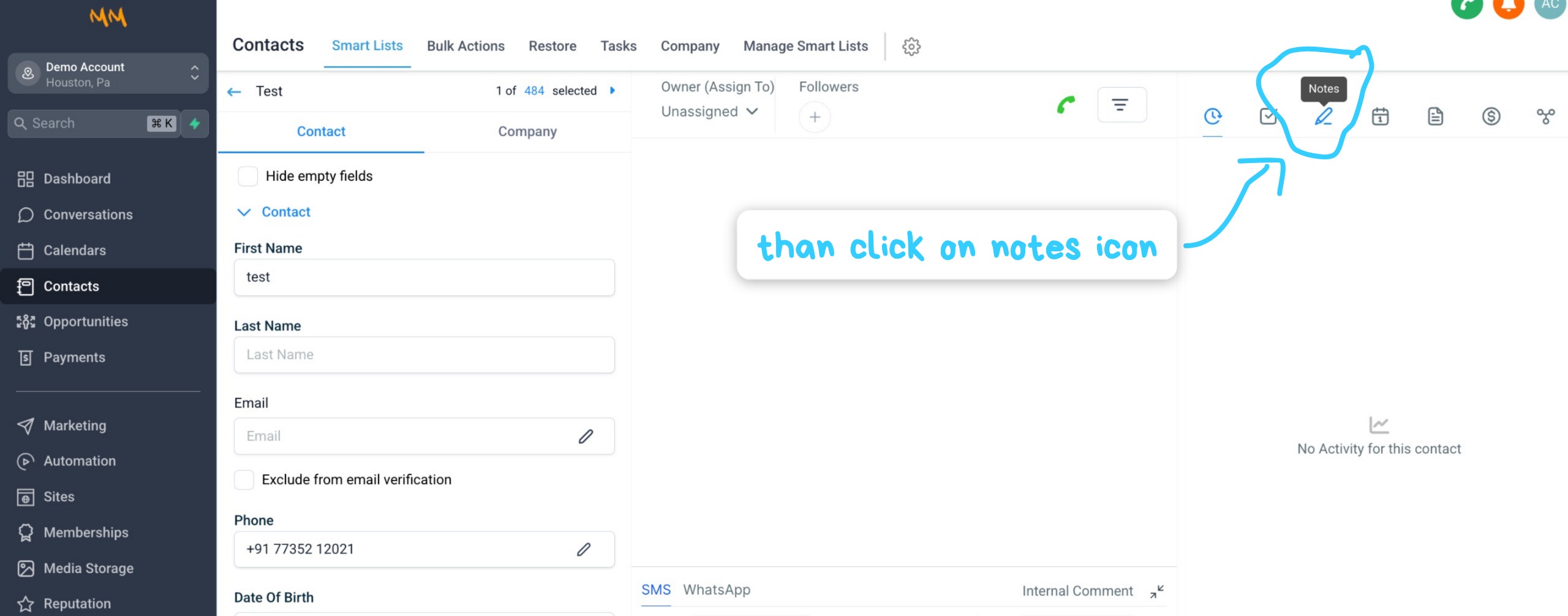
Example: Accessing the Notes section for a contact.
- Check for any call summaries or additional notes added to the contact.
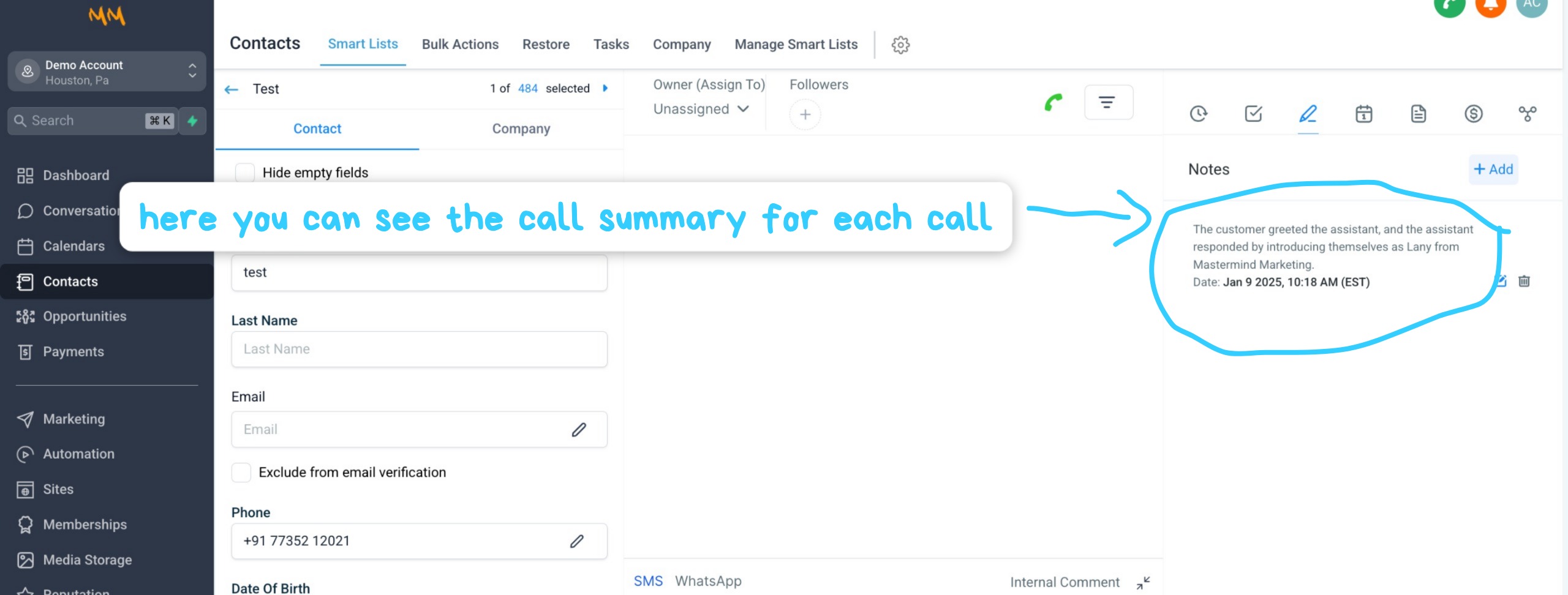
Example: Viewing call summaries in the Notes section.